Connect to
the Practice Management System You Already Use
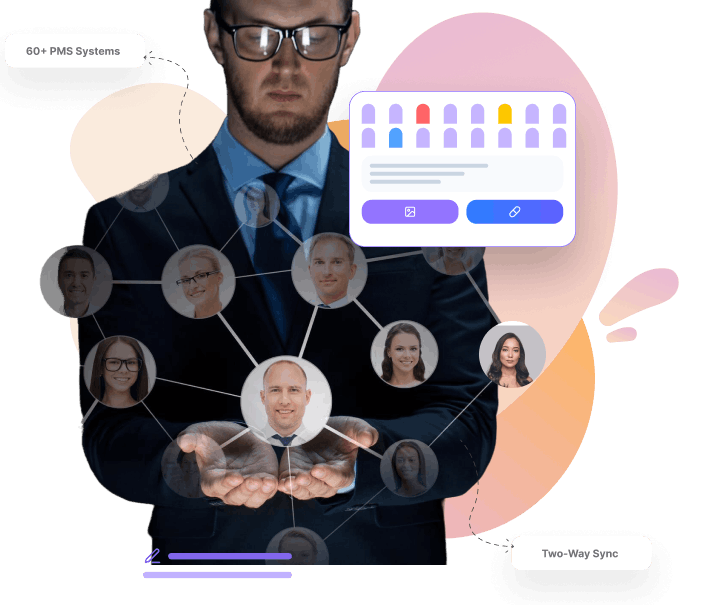
DentuluPro integrates with 60+ dental practice management systems including Dentrix, Eaglesoft, Open Dental, and more. Sync patient data, appointments, and clinical notes automatically. No double entry. No switching systems. Just seamless connectivity.
Your Team Shouldn't Have to
Enter Data Twice
Every time your front desk enters a new patient in your PMS, then re-enters them in your teledentistry platform, that's wasted time and a chance for errors. When appointment changes don't sync, patients show up confused. When clinical notes live in two places, nothing matches.
01
Entering patient info in multiple systems

with Dentulu Pro
Patients sync automatically from your PMS
02
Appointment changes don't reflect across platforms
with Dentulu Pro
Real-time appointment synchronization
03
Clinical notes scattered in different systems
with Dentulu Pro
Notes flow between DentuluPro and your PMS
04
Staff wasting time on manual data entry
with Dentulu Pro
Set it once, syncs forever
05
Worried about compatibility with your PMS
with Dentulu Pro
60+ systems already supported
06
Complex IT projects to connect systems
with Dentulu Pro
Guided setup by our team no IT headaches
Seamless Two-Way Data Sync
Your data flows automatically between your practice management system and DentuluPro in both directions.
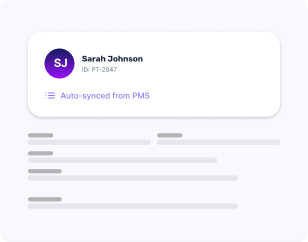
Patient Demographics
Names, contact info, DOB, addresses synced automatically when patients are added or updated in either system.
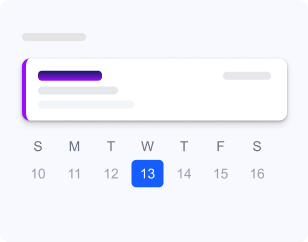
Appointments
Scheduled appointments, reschedules, and cancellations reflect in both systems in real-time.

Insurance & Verification
DentuluPro provides direct insurance verification that's more comprehensive than most PMS systems. Upload insurance cards.
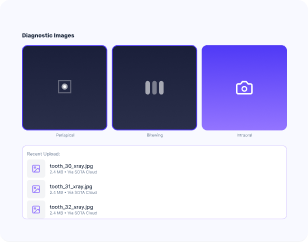
Images & X-rays
Diagnostic images available through SOTA Cloud integration for seamless image sharing.
Clinical Notes
Treatment notes, exam findings, and consultation records sync between platforms.
Simple Setup
Powerful Connection
Connecting your PMS to DentuluPro is straightforward. Our team handles the technical work so you don't have to.
Activate Integration
In your DentuluPro dashboard, navigate to Add-Ons and activate the PMS Integration plugin for your system.

Schedule Onboarding
Our integration team will contact you to schedule the setup. Typical call takes 30-45 minutes.
Install Sync Tool
We'll guide you through installing a lightweight sync tool on your practice server. This secure connector enables real-time data flow.
Verify & Go Live
We test the connection, verify data is flowing correctly, and you're live. Ongoing sync happens automatically.
Most practices will be connected within 1–2 business days of initiating the setup process.
60+ Practice Management Systems Supported
We integrate with all major dental PMS platforms. Your system is likely supported.
Featured Integrations
Dentrix
Eaglesoft
Open Dental
Read-Only Sync
Membership
$100
per month (add-on)
Pull patient data, appointments, and notes FROM your PMS into DentuluPro. Perfect for practices that want to keep PMS as the system of record.
- Patient demographics
- Appointments (read)
- Clinical notes (read)
- One-way data flow
Full Two-Way Sync
Membership
$150
per month (add-on)
Complete bidirectional sync. Changes in either system reflect in the other. The full integration experience.
- Everything in Read-Only, PLUS:
- Write back to PMS
- Appointment creation
- Note synchronization
Transparent Integration Pricing
PMS integration is available as an add-on to your DentuluPro subscription. Choose the sync level that fits your workflow.
Setup Fee
None – guided onboarding included
Contract
Month-to-month, cancel anytime
Requirement
Active DentuluPro subscription

For Your
IT Team
Technical specifications and security details for your infrastructure team.

Architecture
Local sync agent installed on practice server communicates securely with DentuluPro cloud

Data Transfer
TLS 1.3 encrypted connections, data never stored in transit

FHIR Compatibility
API-based architecture compatible with FHIR R4 standards

Server Requirements
Windows Server 2016+ or Windows 10/11 workstation; minimal resource usage

Sync Frequency
Real-time for critical data; batch sync options available for large datasets

HIPAA Compliance
Full HIPAA compliance with BAA; audit logging for all data access

Failover
Automatic retry with local queuing if connection interrupted; no data loss
Diagnostic Images
via SOTA Cloud
For practices that need X-ray and image sharing across systems, we integrate with SOTA Cloud a specialized imaging platform that bridges your imaging software with DentuluPro.
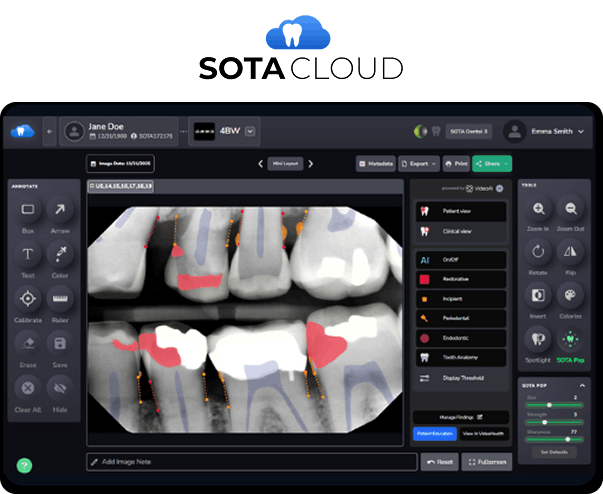
Access diagnostic images directly within DentuluPro consultations
Share X-rays with patients during teledentistry sessions
Secure, HIPAA-compliant image transfer
Works with most imaging sensors and software
Integration Touches Everything. Here’s How It Connects.




Provider FAQ
Find answers to common questions about clinical implementation, billing, and regulatory requirements for dental sleep medicine.
Still have questions?
Our clinical specialists are ready to help you navigate the transition to offering sleep services.
Contact Support @ (888)-905-0226